Jardella’s dashboard can show visitors, button clicks, saved leads and recorded payments. The backend question is what those numbers mean before anyone puts them into a chart.
I used Python and FastAPI for tracking, Supabase for login, and integrations with Meta and Paystack. This walkthrough follows those responsibilities through the reporting evidence visible in the tool.
Start with the questions the report must answer
The website click log records time, source, campaign, landing route and button location. Those dimensions let someone investigate an action: which page contained the button, where on that page it appeared, and which acquisition context the report associates with it.
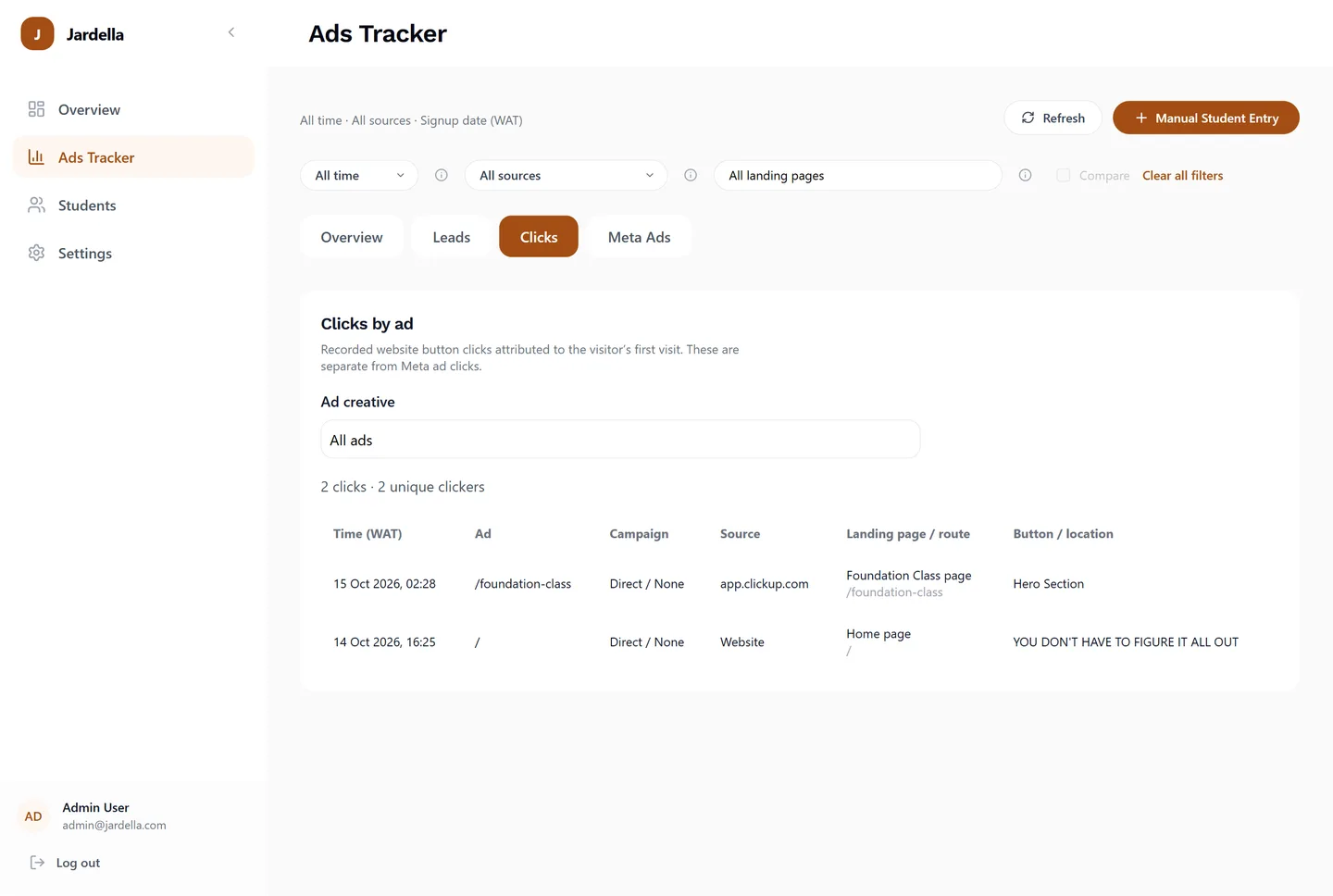
Consider a hypothetical visitor who lands on a class page and taps a WhatsApp button. The tap and the visit are separate observations. Combining them into a single number would hide the question the business is actually asking: did someone arrive, and what did they do next?
Attribution is part of the data’s meaning
Jardella’s click report explains that button clicks are attributed to the visitor’s first visit. That is a reporting rule with consequences. A reader needs that explanation when comparing a later click with the original source context.
The dashboard also keeps older or manually entered records with unknown attribution visible. Missing source data is information about the limits of the record. It should not silently become a campaign name.
Keep the integration boundaries visible
- FastAPI tracking supports the website activity side of the system.
- The Meta integration supplies campaign reporting, including spend and ad clicks.
- Supabase is used for login to the internal tool.
- Paystack is part of the payment integration; the reporting separately exposes paid and pending records.
Those responsibilities should remain understandable in the interface. A Meta ad-click total and a website event count can differ because they describe different measurements. A saved lead also needs to remain distinguishable from a recorded payment.
Validation is a separate engineering question
For developers building a similar API, FastAPI supports declaring request bodies with Pydantic models, validating incoming data and documenting those models in OpenAPI. The official request-body guide is a useful starting point. For a tracking API, validation provides a place to define what an event must contain and what may legitimately be unavailable.
An illustrative event contract should answer practical questions: which fields identify the action, which describe attribution, and what happens when context is unavailable? The exact contract needs to match the product’s collection rules rather than assuming every browser supplies complete information.
Expose enough context to investigate
A summary chart is a starting point. Jardella’s landing-page comparisons and click logs provide the next level of detail. A team can move from a total to the route or button location associated with the activity, while keeping lead and payment statuses separate.
That is the backend contribution this project demonstrates: making recorded activity interpretable. The reporting remains useful when it makes incomplete attribution visible instead of hiding the uncertainty.